Next.js 16 and React 19: A Practical Guide to Code Splitting in Production
Next.js 16 and React 19 code splitting in production: Server Components, dynamic imports and real patterns from my open-source portfolio and AI applications.

Qasir Mehmood
Senior Full-Stack Developer
Introduction
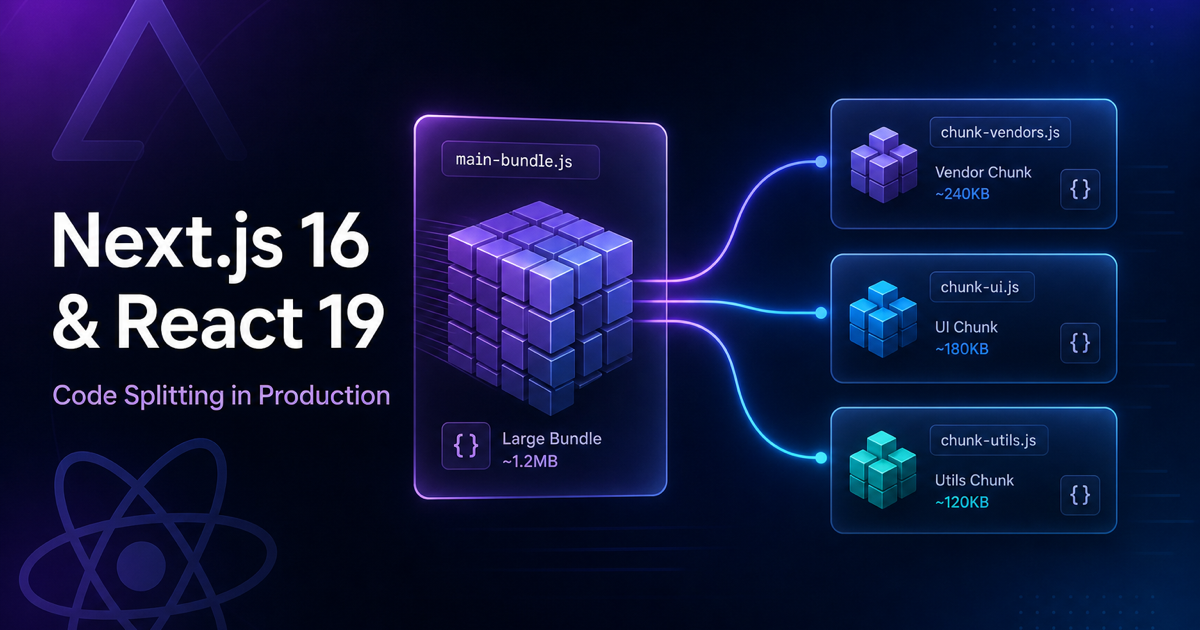
Performance is no longer a nice-to-have in modern web applications — it is a baseline expectation for users, search engines, and enterprise delivery. After 12+ years building React applications, and more recently shipping production platforms with Next.js 16, React 19, and TypeScript, I have found that the most effective performance wins rarely come from micro-optimisations alone. They come from deliberate bundle architecture: splitting code at the right boundaries so users download only what they need, when they need it.
In 2026, frameworks have matured considerably. Next.js App Router and React Server Components handle a large share of splitting automatically. That does not make code splitting obsolete — it changes where and how we apply it. This article shares patterns I use in my own open-source work, including qasir-profile-ai, job-discovery, and daily-briefing.
Why code splitting still matters in 2026
When I rebuilt my portfolio on Next.js 16 with React 19, the goal was not simply a visual refresh. I wanted a production-grade, ATS-friendly, accessible platform that could also support an AI Digital Twin, streaming APIs, SEO endpoints, and automated testing — without shipping all of that JavaScript on first paint.
Code splitting helps in three practical ways:
- Faster initial load — smaller client bundles improve Core Web Vitals and perceived performance
- Better scalability — large features (AI chat, admin tools, charts) can load on demand
- Clearer architecture — splitting encourages intentional Server Component vs Client Component boundaries
At British Gas, optimising large customer journeys taught me that performance and UX are inseparable: faster pages and clearer navigation reduced misdirected support queries. The same principle applies today — only the tooling has improved.
How Next.js 16 and React 19 handle splitting differently
If you learned code splitting through manual Webpack configuration, the modern stack feels different — in a good way.
Route-based splitting (built in)
With the Next.js App Router, each route is a natural split point. Pages under app/ are composed as React Server Components by default, which means much of your UI never enters the client bundle at all.
This is the first rule I apply on every project:
Keep data fetching and static rendering on the server unless interactivity genuinely requires the client.
That approach is central to qasir-profile-ai, where sections such as About, Career Timeline, Skills, and Portfolio can render on the server whilst interactive areas load selectively.
Server Components vs Client Components
React 19 continues the direction React 18 started: the server is a first-class rendering environment, not just an API layer.
Use Server Components for:
- Content-heavy pages (blog posts, marketing sections, documentation)
- SEO-critical rendering (JSON-LD, metadata, sitemaps)
- Secure server-side integrations
Use Client Components for:
- Browser APIs and event handlers
- Streaming chat interfaces
- Theme toggles, animations, and complex form state
Getting this boundary right is a form of code splitting — you split by execution environment, not only by file size.
Dynamic imports for heavy client features
Some features must run on the client — and some are simply too heavy for the critical path. That is where next/dynamic remains essential.
On my portfolio, the AI Digital Twin is a strong candidate for lazy loading: it involves client-side orchestration, provider failover, and streaming behaviour that should not block the rest of the page.
import dynamic from "next/dynamic";

const DigitalTwinOrchestrator = dynamic(
  () => import("@/components/digital-twin-orchestrator"),
  {
    ssr: false,
    loading: () => (
      <p className="text-sm text-muted-foreground">Loading assistant…</p>
    ),
  }
);

export function LazyDigitalTwin() {
  return <DigitalTwinOrchestrator />;
}
This pattern keeps the main route lean whilst preserving a polished loading state — a small detail, but important in production UX.
Lessons from my GitHub repositories
Theory is useful; production repos reveal trade-offs. Three of my 2026 projects show different splitting strategies.
qasir-profile-ai — content-first, interactivity on demand
qasir-profile-ai is my production portfolio built with Next.js 16, React 19, TypeScript, Tailwind CSS v4, and ShadCN UI. It includes:
- Streaming LLM chat via SSE
- Quota and usage APIs
/resumeand/resume.txtendpoints for recruiter-friendly CV delivery- Playwright E2E and Vitest unit tests
- WCAG 2.1 accessibility patterns
The performance strategy is straightforward: server-render the portfolio narrative; defer heavyweight client behaviour (AI chat, animations, third-party embeds) until the user actually needs it.
job-discovery — splitting at scale for data-heavy UI
job-discovery is my AI Career Copilot — an 8-agent Temporal pipeline with RAG, pgvector, Playwright scraping, and ATS-oriented cover letter generation.
On the frontend, TanStack Query with keyset pagination keeps job lists responsive without loading entire datasets into memory. That is not classic bundle splitting, but it is the same principle applied to data and rendering cost: fetch and render in chunks, not all at once.
Stack highlights: Next.js 16 · React 19 · FastAPI · PostgreSQL · Redis · Terraform · Docker · OpenTelemetry
daily-briefing — deferring complexity in multi-agent systems
daily-briefing uses a LangGraph multi-agent pipeline with MCP integrations, FastAPI, and a Next.js 16 frontend. Agent orchestration, observability (Prometheus, OpenTelemetry), and security controls (OWASP GenAI patterns) add substantial complexity.
Splitting here means isolating agent UI panels, settings, and monitoring views so the core briefing experience remains fast for everyday use.
A practical checklist I use before shipping
Before merging performance-related changes, I run through this list:
- Audit Client Components — does this file truly need
"use client"? - Split heavy routes — admin, studio, dashboards, and AI tools should not ship with public pages
- Lazy-load third-party embeds — chat widgets, analytics, and CMS tooling belong off the critical path
- Measure, do not guess — use Core Web Vitals, Lighthouse, and real Playwright user flows
- Protect accessibility — lazy loading must not break keyboard navigation or screen reader semantics (WCAG 2.1)
- Validate in CI — my repos use GitHub Actions so performance regressions are caught early
This mirrors how I deliver enterprise work as a Senior Full-Stack Developer and Microsoft Certified Azure AI Engineer (AI-102) — secure, observable, and maintainable by default.
Measuring impact properly
In my IPCortex role, refactoring Next.js and React applications improved page load performance by around 40%. That did not happen because we renamed files — it happened because we measured bottlenecks, split responsibilities correctly, and validated changes in production-like conditions.
For modern apps, I track:
- LCP (Largest Contentful Paint) — hero and primary content speed
- INP (Interaction to Next Paint) — responsiveness after hydration
- Bundle analysis — unexpected client dependencies
- E2E smoke tests — ensure deferred modules still render correctly
If you cannot measure it, you cannot confidently tell a recruiter, stakeholder, or ATS-screened CV review that you improved performance — you can only claim it.
Conclusion
Next.js 16 and React 19 have raised the floor for frontend engineering. Much of what we once configured manually is now convention — but production-grade applications still require intentional decisions about what ships immediately and what loads later.
Code splitting in 2026 is less about clever Webpack tricks and more about architecture: Server Components, route boundaries, dynamic imports, and data fetching patterns that respect both performance and developer experience.
If you are building your own portfolio, SaaS platform, or AI-enabled product, start simple:
- server-render what you can
- lazy-load what you must
- measure everything in CI
You can explore my implementation on GitHub or visit the live site at qasir.co.uk.